- Register one or more attendees
- Free, pending and paid bookings
- Keep your guest management link private
- Amend or cancel your booking
- Medical privacy and advance precautions
1. Register one or more attendees
Entrants and runners
Open the Club Activity and choose Register. Guests and signed-in users can enter several attendees in one booking. Supply the booking contact email, attendee details, emergency contact name/phone and each person's options, then Review registration. Club Activity registration does not require courses, SI cards, competitive starts or results. Check the dates, selections and total before submitting.
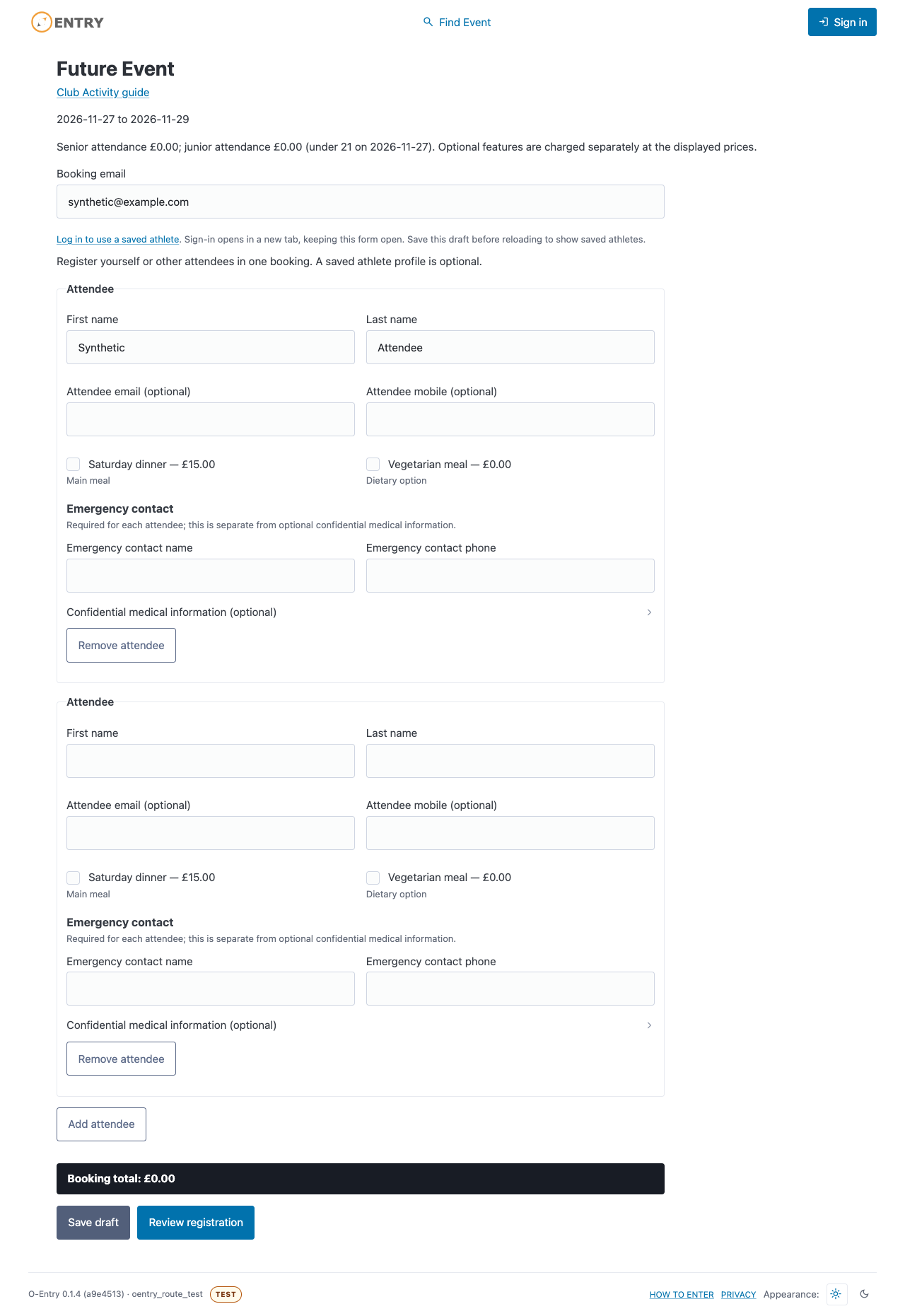
Illustration — not a live form. Synthetic guest registration with multiple attendees and options.
2. Free, pending and paid bookings
Entrants and runners
Free bookings confirm on successful submission. A saved paid booking is pending payment and its capacity hold can expire; it is not a confirmed place. Continue through Checkout and check the verified confirmation. A cancelled browser return does not prove payment failed. Use the existing recovery/reconciliation controls if payment is being checked; do not submit a duplicate booking to retry an uncertain charge.
3. Keep your guest management link private
Entrants and runners
The original booking browser or a secure booking-management link lets a guest manage that booking. Keep it private: do not forward it or paste it into public messages or screenshots. Contact an authorised organiser for a replacement if needed; replacement invalidates the previous link. Signed-in owners can use My Entries. A booking reference alone does not provide access. Contact the organiser if you cannot recover access; email delivery depends on club mail setup.
4. Amend or cancel your booking
Entrants and runners
Open the booking and choose Amend booking to update contacts, attendees or options within the deadline. Review the proposed total and any additional amount. Paid changes keep the previous confirmed booking until verified payment and successful application. Resolve a pending change or uncertain payment before another amendment/cancellation. Cancel this registration cancels attendance, not a payment refund. Reductions and cancellations create no automatic refund or credit; arrange any refund directly with the organiser outside O-entry.
5. Medical privacy and advance precautions
Entrants and runners
Optional medical disclosures are encrypted and kept for authorised incident response, not routine review before an event. Contact the organiser directly about food allergies, disability adjustments or other precautions needed in advance; entering a disclosure does not notify them to make arrangements. A guest management link does not provide access to saved athlete-profile medical records. Emails, calendar invitations and Event Options Reports exclude confidential medical information.